Order Cancellation Event Flow
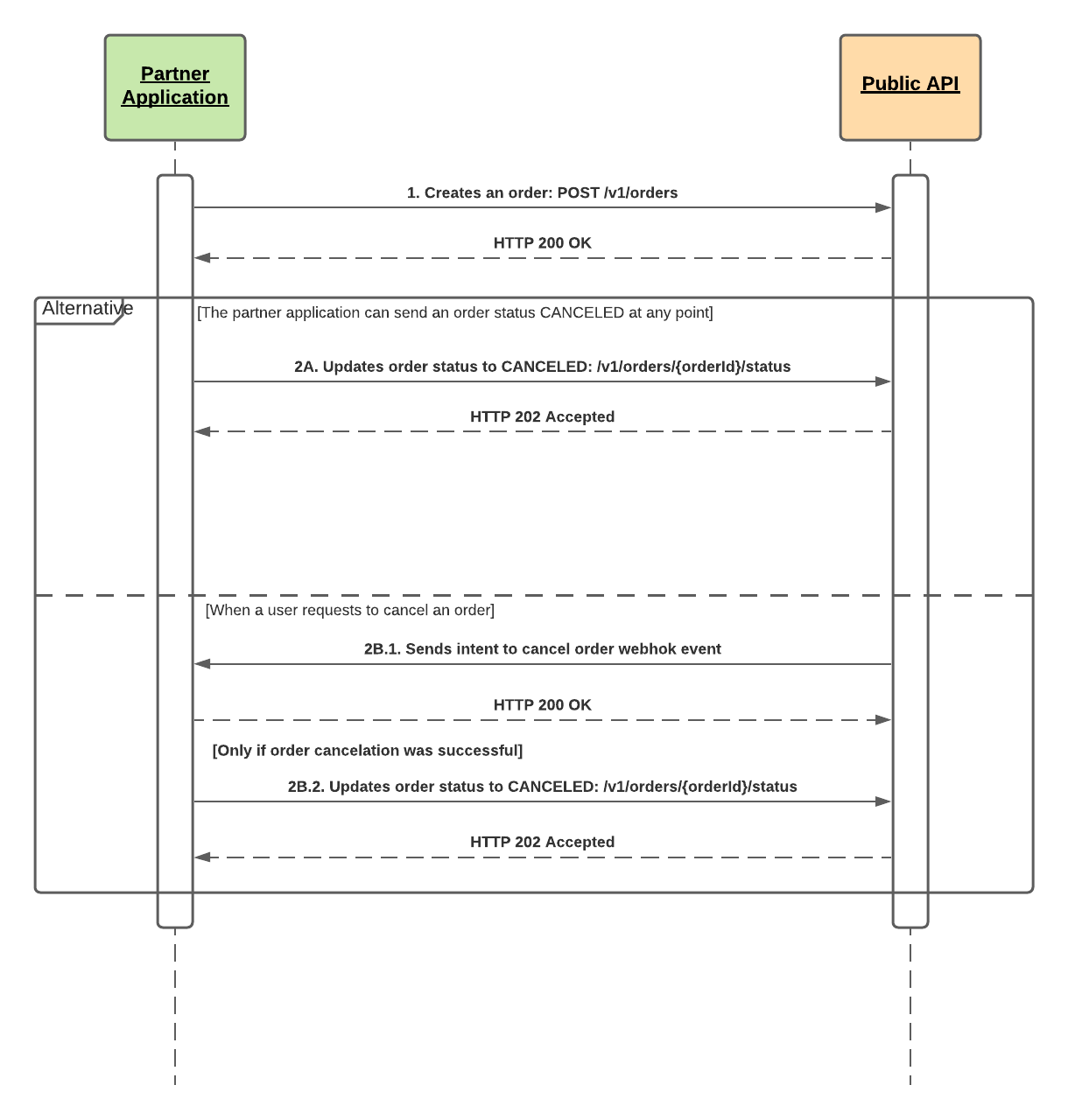
After an order is created, it can be canceled at any point before it is fulfilled. This integration flow describes the possible scenarios of order cancelation, 2A represents an order canceled by external action, and 2B represents an order canceled by a restaurant operator.
-
Partner application creates a new order using POST /v1/orders.
-
A - At any point of the order lifecycle, the partner application can update the order status to CANCELED using POST /v1/orders/{orderId}/status.
-
B.1 - When a user requests to cancel an order, an “intent to cancel order” webhook event is sent. When required, the partner application must try to cancel the order on the Online Delivery Provider side to effectively cancel the order.
-
B.2 - If the user request to cancel an order is fulfilled, then partner application must update the order status to CANCELED using POST /v1/orders/{orderId}/status.